KENJARA.EUNothing to worry about. ← Wise Diaper
Every day

Diaper on, phone away, life goes on

Meet the little cloud

One look tells you everything

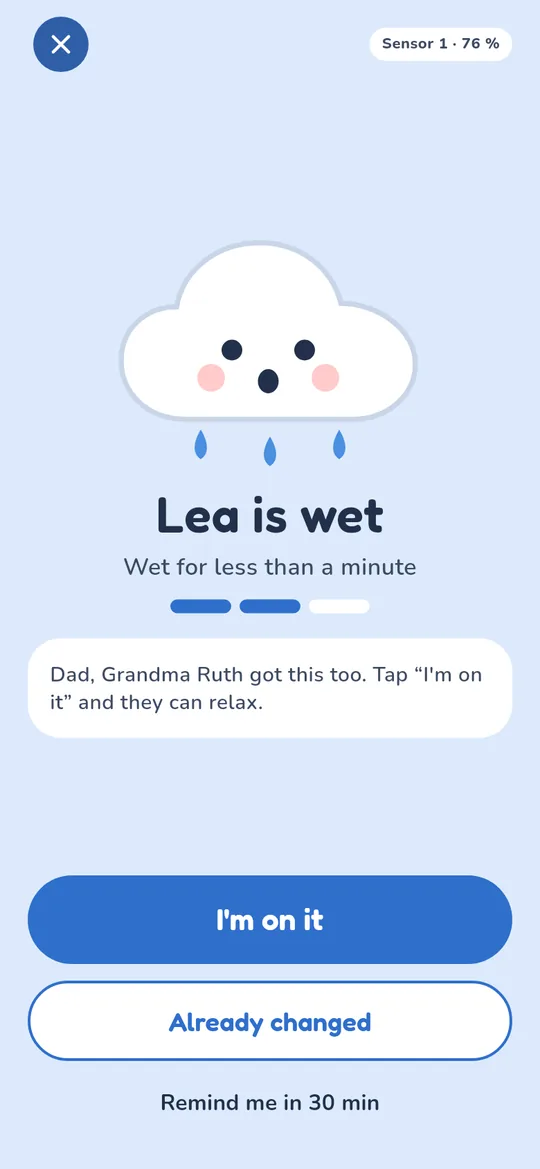
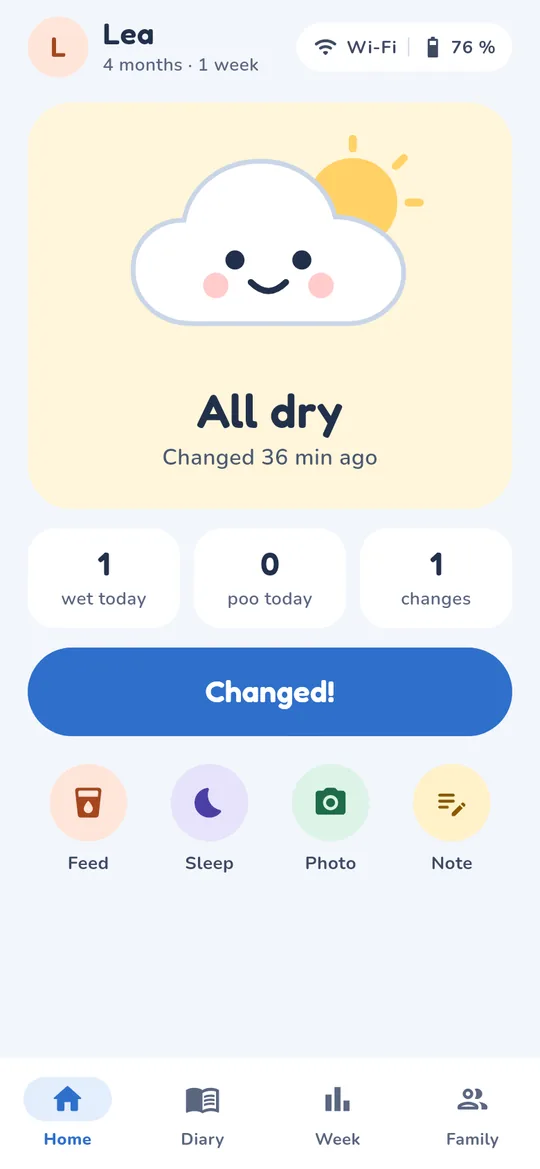
The cloud on your home screen shows how the diaper is doing – you can read it from across the room.

Sunshine – all dry

Nothing to do. Enjoy the moment.

Drizzle – a little damp

No rush. We will tell you when it really gets wet.

Rain – wet

Time for a fresh diaper when you can.

Brown swirl – possibly a poo

The sensor noticed a change in colour. Have a look.

Sleepy cloud – night

During your quiet hours the app turns dark and warm, and only what really matters wakes you.
1

Lay the sensor into a fresh diaper

Place it on the inside of the diaper, in the middle of the front part – where it gets wet first. The smooth side faces your baby. Close the diaper as usual; your baby will hardly notice it.

2

Your home screen

At a glance: the little cloud, how long ago you changed, today's wet diapers and poos, and the sensor's battery. The big “Changed!” button and four quick buttons – feed, sleep, photo, note – are always within reach of your thumb.

Screenshot of the Wise Baby app
3

When it is wet

Your phone lets you know, even in another room. Tap “I'm on it” and everyone else in the family can relax. Not right now? “Remind me in 30 min”.

Screenshot of the Wise Baby app
4

After changing

Take the sensor out, rinse it, and lay it into the fresh diaper. The app notices by itself that the diaper is dry again and writes the change into your diary. Of course you can also tap “Changed!” yourself.